One of the complex problems of mobile phones is FRP lock, which cannot be easily opened unless the previous Gmail and password are known. This FRP lock can be broken by computer but it is not possible for everyone. Many times the phone gets locked due to forgetfulness or reset. Today this article will play a major role in all Motorola Moto Android 13 FRP bypass without PC in mobile lock treatment.
By following this method you can bypass FRP by yourself without any computer help. So let’s start all Motorola Moto Android 13 FRP bypass without a PC.
What is the FRP Lock?
FRP lock factory reset protection is a powerful mobile security system created by Google. Going into recovery mode and resetting it to open the normal lock will lock the phone more strongly. The main reason for using this lock in the Android version is to prevent theft and intrusion.
This powerful feature is provided by default in all Android versions from Lollipop 5.1 onwards. All Android phone companies ensure this security feature from the start.
More Read: How To Unlock Or FRP Bypass Motorola Moto G14 Without PC
All Motorola Moto Android 13 FRP Bypass Without PC 2023
Requirements to Unlock/Bypass FRP Lock
- Keep the phone charged by at least 60% or 80% to complete the bypass Google account verification on all Motorola Moto Android 13 phones working on time.
- The success of all Motorola Moto Android 13 FRP bypass without the computer method depends a lot on the internet connection and speed, so try to keep the internet connection and speed good.
- Your mobile data will be lost to complete all Motorola Moto Android 13 FRP bypass without a PC. So make sure to backup the necessary data.
- You must download FRP bypass tools or FRP bypass apk to all Motorola Moto Android 13 FRP bypass without the computer.
Step-by-Step Solution:
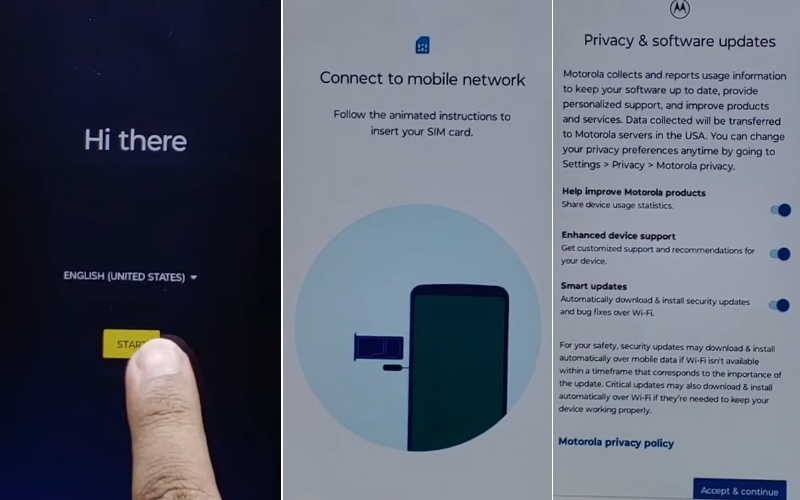
- Step 1: See the “Hi there” screen and click the “Start” button. Then serially click Connect to mobile network > Skip > Privacy & software updates > Accept & continue > Copy app & data > Don’t copy.
- Step 2: Find the “Verify Pin” page here and click “Use my Google account instead.” Next stage see the “Verify your account” but this page is locked. Go back to the Setup Wizard (Language Selection).
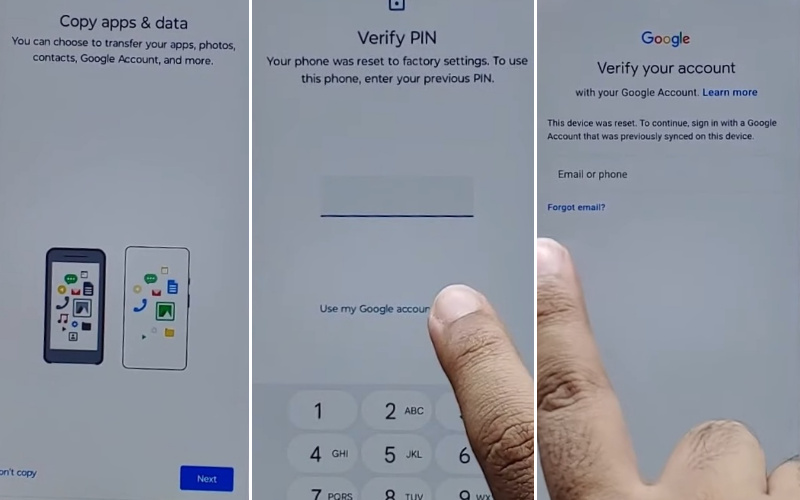
- Step 3: Press and hold both “Volume keys” to Enable/Disable Talkback. Then tap the “Vision setting” option.
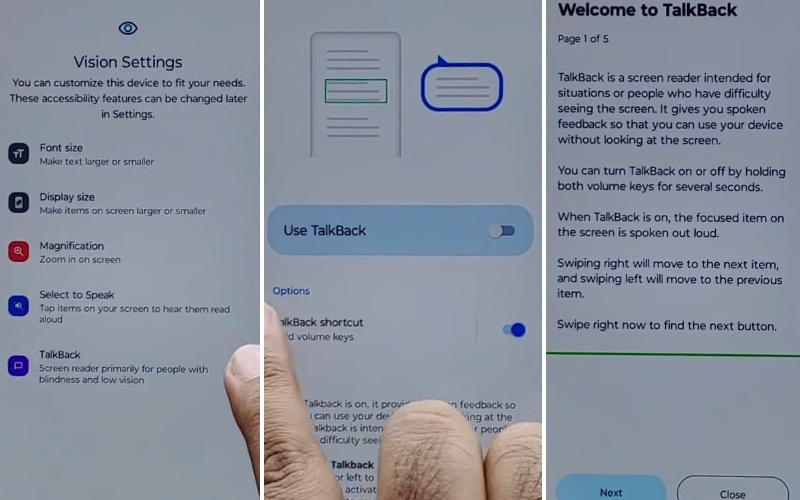
- Step 4: Now click step-by-step TalkBack > Use TalkBack > Welcome TalkBack > draw Reverse L > While using the app > Use voice command to control TablBack > Use Voice command.
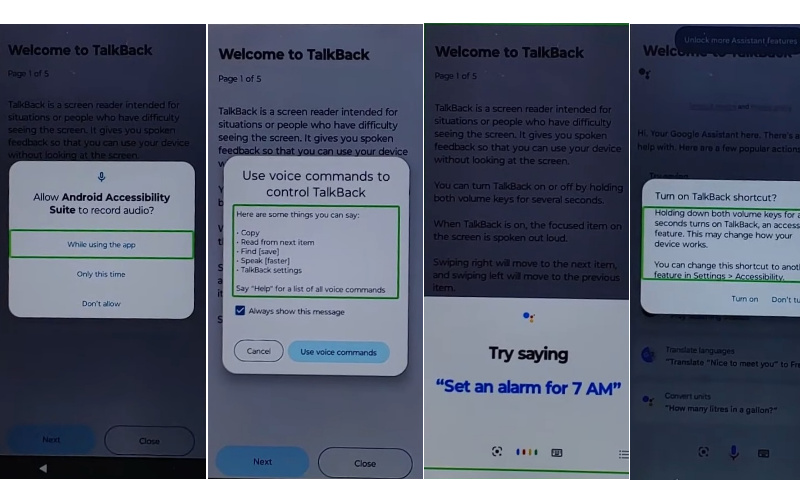
- Step 5: Double-tap “Use voice command” and say loudly “Google Assistant.” Then disable the TalkBack and tap both “Volume” keys at the same time for 2 or 3 seconds.
- Step 6: Here see the “Keyboard icon” and tap it then type “Open YouTube” and send it.
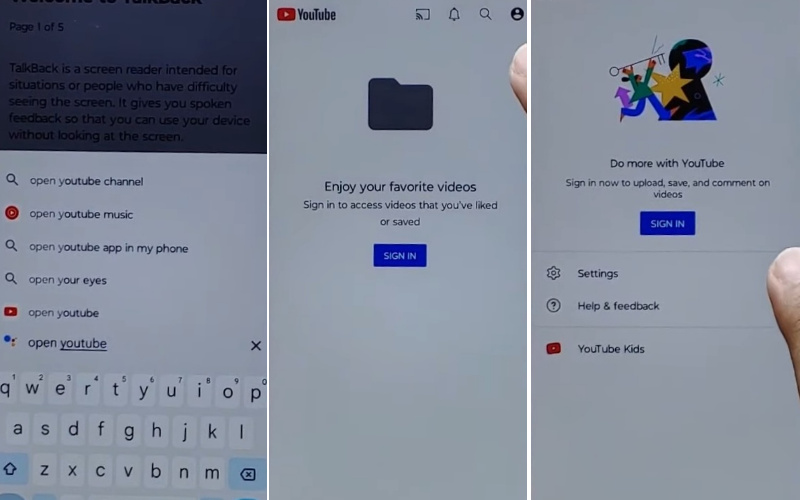
- Step 7: At this moment click the Sign in icon > Settings > About > Google privacy policy.
- Step 8: New page “Welcome to Chrome” page and click the “Accept & continue” option. After finding the “Turn on sync” option here click “No thank.”
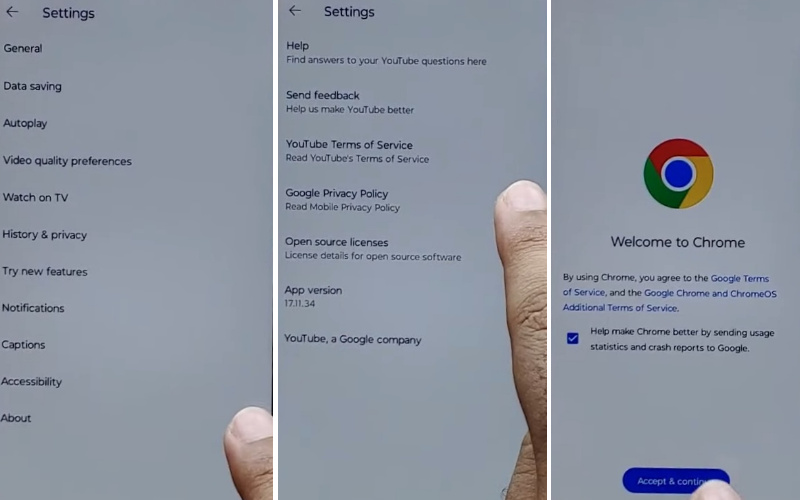
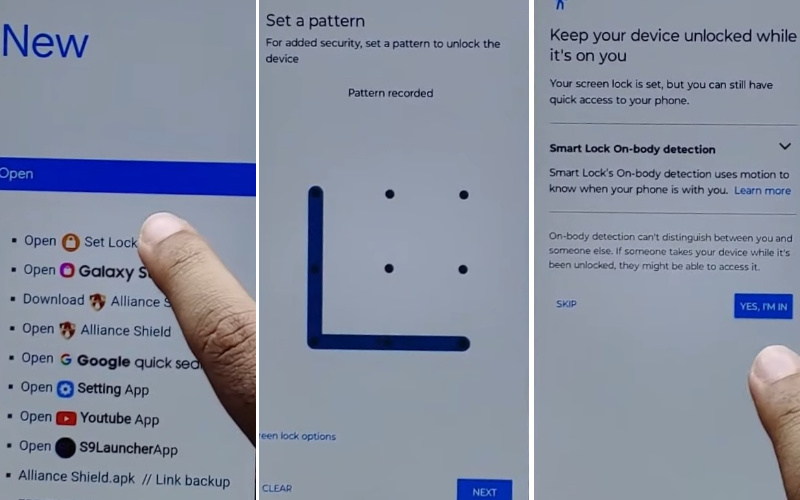
- Step 9: Type “frpfile.com/bypass” then tap it. Also, find the “Set lock Screen” and then open it. Go to the next stage and get the “Protect your phone.” We will have to “Set Pattern” a few times until it’s locked.
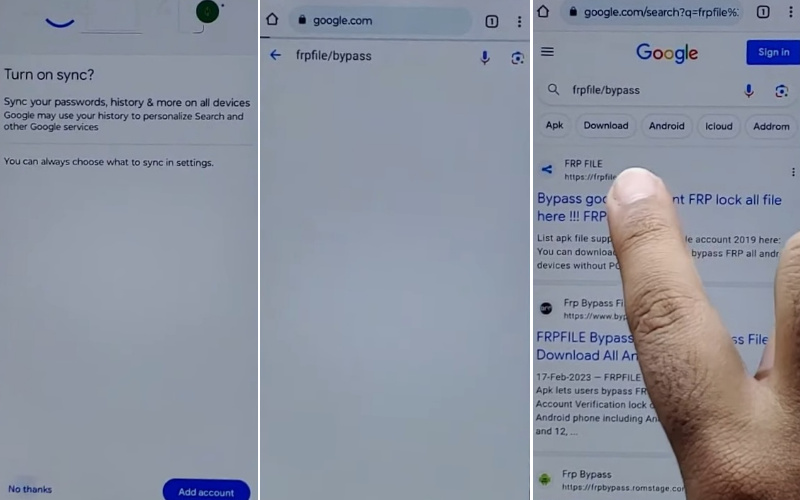
- Step 10: After a few seconds get the “Keep your device unlocked while it’s on you” option and click on the “YES I’M IN” and “Got it.”
- Step 11: Again back to the “Hi there” screen and click the “Start” button. Then serially click Connect to mobile network > Skip > Privacy & software updates > Accept & continue > Copy app & data > Don’t copy.
- Step 12: Draw your Pattern to Bypass FRP/Google lock. Now again see and click serially Skip account setup > Skip > Sign in > Skip.
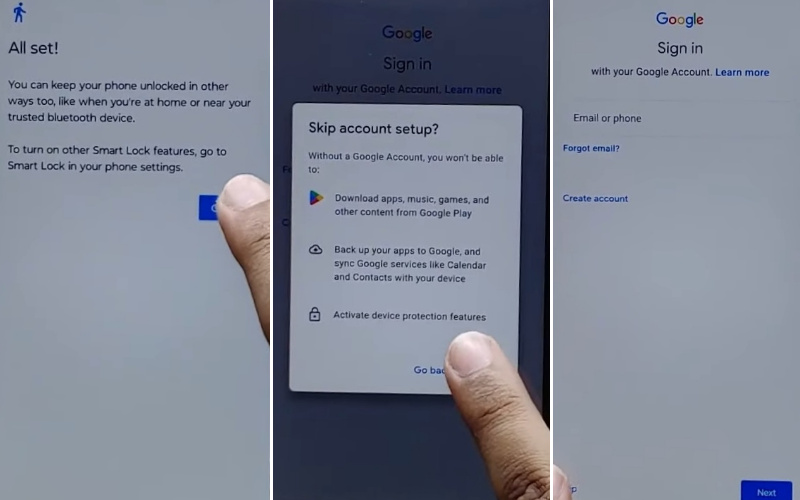
- Step 13: Finally, go to the Google services > More & Accept > Confirm your pattern > Unlock with your fingerprint > Skip > Review additional apps > OK.
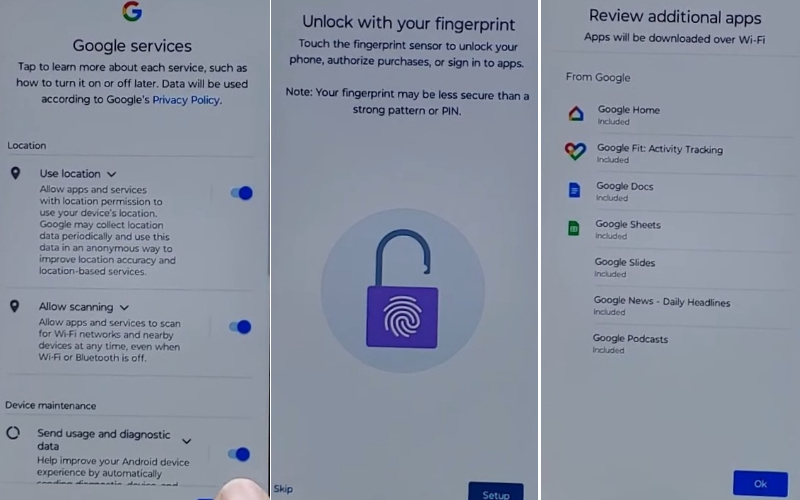
- Step 14: The last moment is present go and click Let’s stay in touch > More > You’re all set > Done.
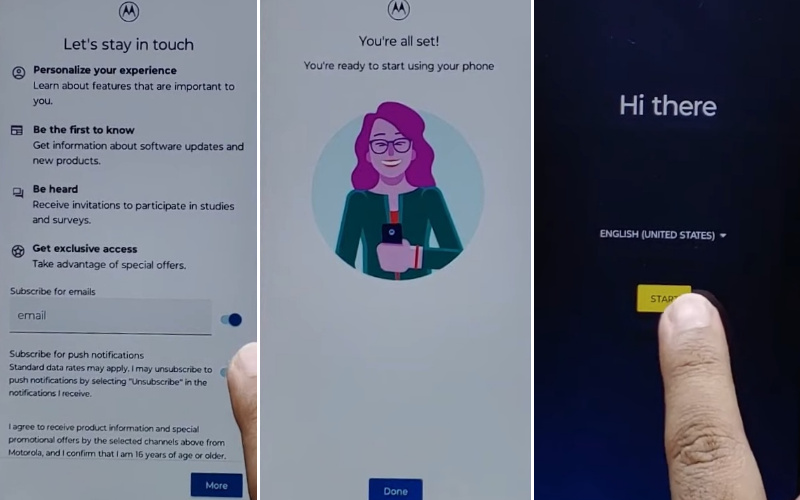
That means all Motorola Moto Android 13 FRP bypass methods are completed successfully.
Bottom Line
An easy way to all Motorola Moto Android 13 FRP bypass without PC method is described above by Google’s wonderful creation. Simple and step-by-step showing how to all Motorola Moto Android 13 FRP bypass without needing a computer. This bypass system hides the easy way to open the FRP lock.
You can do the procedure yourself without the help of any computer. Hope that solved your mobile problem. If you have difficulty understanding the article, refer to the knife instructions given in the article.